All your support links. One spot.
Intro
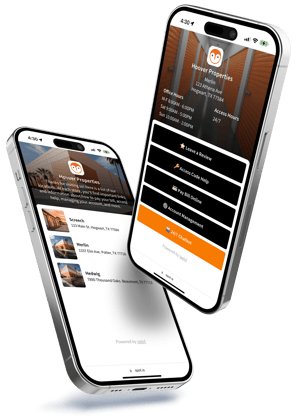
Say goodbye to the cluttered mess of multiple links and hello to our all-in-one page that effortlessly showcases all your important links.
How it works
Guide customers to frequently asked questions and resolve issues quickly.
- Customer follows your spot.is URL link or scans the provided QR code
- Customer selects an option, such as getting help with their access code
- spot.is redirects the customer to the linked URL
ℹ️ When linking to a page with swivlAutomation, your swivlBot opens to continue the conversation. And, tracking is built right in, so you can keep tabs on how many people are using these links and which ones are the most popular.
QR Codes
Each location gets its own unique QR Code so customers can quickly pull up the landing page for their store. Simply download the QR code for your location, add to your signage, and place at important spots around your property.
- Flexible URLs: There's no need to reprint QR codes if your URLs change. spot offers a simple solution that redirects your my.spot.is address to whatever you're linking to.
- Download & Print: Save your high-res QR codes and add them to signage around your properties or add them to your website and other digital media.
All locations. One spot.
spot.is provides a landing page with a list of all of your stores, allowing your customers to find helpful links at other locations too. All of this information is pulled directly from swivl and automatically updates if changes are made.
Getting setup
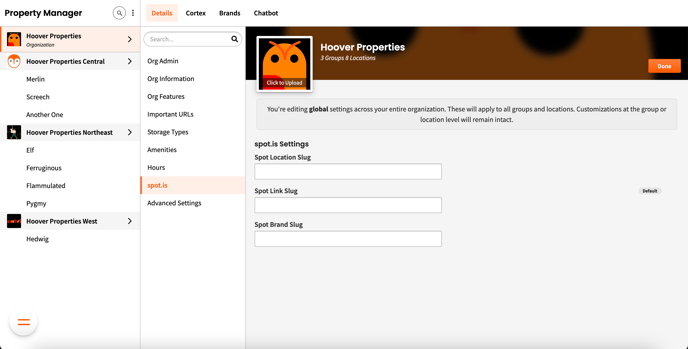
A simple tool inside swivlStudio to help you manage your spotLinks is coming soon. Until then, your account manager will provide your URLs and QR codes for all your locations. Once filled out, you can leave this section alone. Just make sure each location's information is up to date 👇
💡Since we pull each location’s information directly from the Property Manager, make sure each store’s info is up to date.