![Full Color.png]](https://learn.tryswivl.com/hs-fs/hubfs/Full%20Color.png?height=50&name=Full%20Color.png)
Innovator Tier
📢 This page is for definition and documentation purposes only. In order to update your account, you’ll need to navigate to the Sequences section in Cortex: https://v3.swivl.studio/properties/page/cortex/sequences/move-ins
Setup
Within the Move Ins and Move Outs sections, you’ll notice “Start Review Solicitation” toggles below each section:

Turning these toggles on initiates your Review Solicitation workflow, which sends out predefined messages and tracks customer feedback. This workflow can be customized at any time here: https://v3.swivl.studio/properties/page/cortex/sequences/review-solicitation
ℹ️ Important: If a customer has previously provided feedback, they will not receive a text on this day to prevent duplication
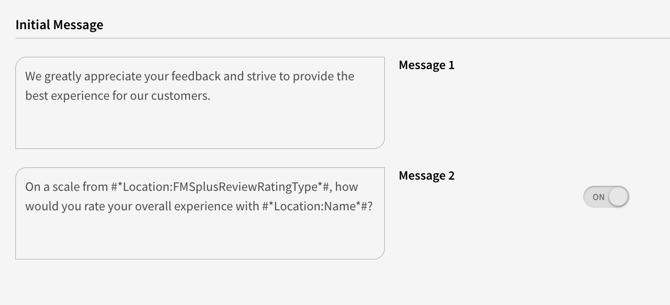
First, we send these messages (variable Store - Name is pulled from the appropriate row in Store Finder):
Then, based on customer ratings:
Ratings of 9 and 10 are sent the Promoter messages, which by default includes the Google Review link for their store (again, this variable is pulled from the appropriate row in Store Finder so be sure it’s filled out correctly!):
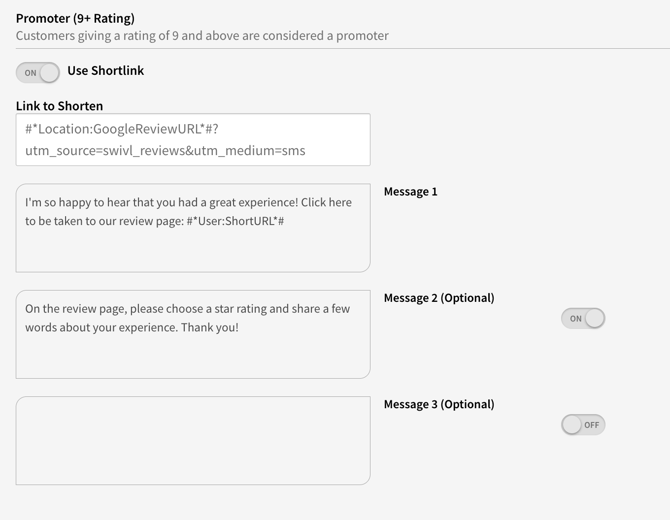
You could also use their spot Review link instead. If you’d like to make this change, read through the documentation here then reach out to your swivl account manager: spot.is Reviews
Ratings between 6 and 8 are sent the initial Passive messages. We then wait for the customer’s feedback before proceeding:
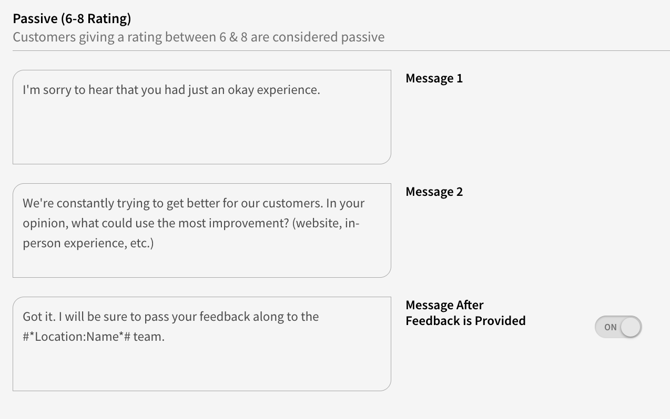
Their feedback is recorded internally and included in your monthly analytics reports:
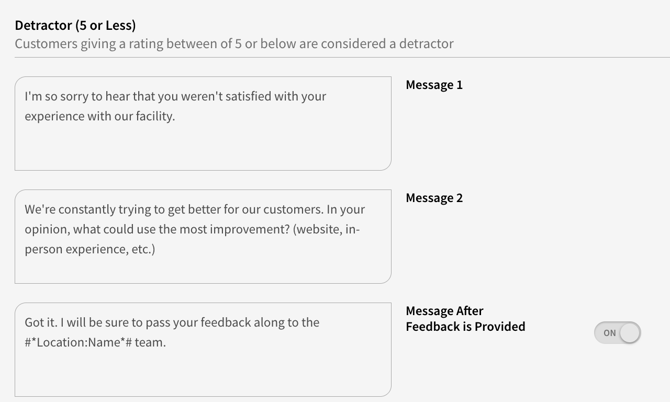
Ratings between 1 and 5 are sent for the initial Detractor messages. We then wait for their feedback before proceeding. The customer’s feedback is also recorded internally and included in your monthly analytics reports. After receiving a reply, your final Detractor message is sent.
Feedback from this feature will help you improve your customer experience and enhance your reputation.