![Full Color.png]](https://learn.tryswivl.com/hs-fs/hubfs/Full%20Color.png?height=50&name=Full%20Color.png)
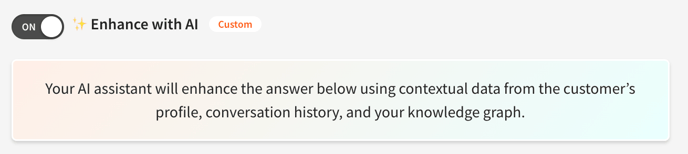
To elevate the quality and personalization of bot conversations, we offer the option to integrate Large Language Models (LLMs). LLMs can significantly enhance the user experience by:
- Humanizing Responses: Making bot interactions feel more natural and empathetic.
- Contextual Understanding: Maintaining conversation context for smoother and more relevant responses.
- Engaging Conversations: Keeping interactions interesting and dynamic.
Balancing AI Power with Accuracy
While LLMs offer immense potential, they can sometimes generate unexpected or inaccurate responses. To mitigate this, we combine the power of LLMs with real-time data from your Property Manager. This ensures that bot responses are:
- Accurate: Aligned with your property's specific information.
- Relevant: Tailored to the user's query and context.
- Consistent: Maintaining brand voice and messaging.
ℹ️ Due to the inherent nature of LLMs, it's essential to be aware that their responses may occasionally deviate from expected outcomes. While we strive to minimize these instances, it's recommended to monitor bot interactions closely and make adjustments as needed.
Use LLMs When ...
You have the power to determine when and how LLMs are used in your chatbot. Simply turn on the specific topics you want the bot to handle using AI. This allows you to fine-tune the AI's involvement and ensure it's used strategically.
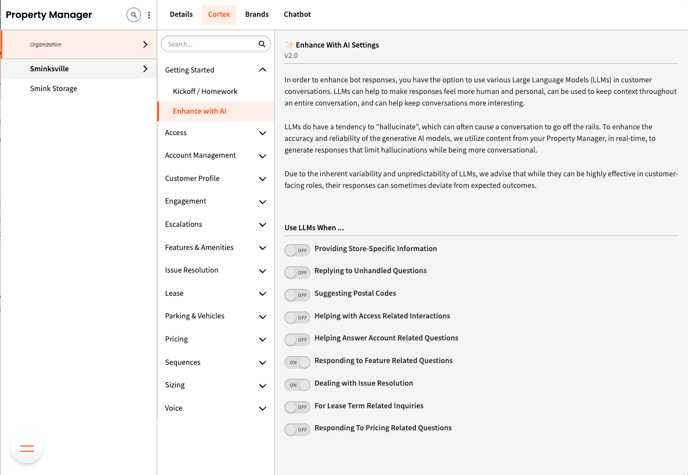
- Navigate to Property Manager
- Select the Cortex tab
- Under Getting Started, select Enhance with AI
- Turn on the general categories you'd like to use LLMS with
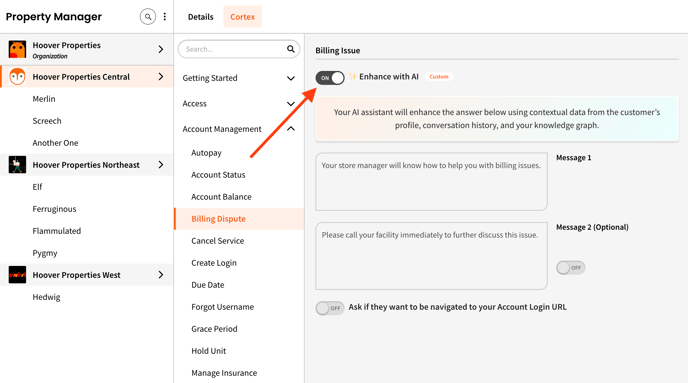
✏️ Once a category is turned on, you can fine tune your selection by turning on/off the Enhance with AI feature on Cortex sub pages.