![Full Color.png]](https://learn.tryswivl.com/hs-fs/hubfs/Full%20Color.png?height=50&name=Full%20Color.png)
Want to present pricing in clear tiers like “Basic,” “Better,” and “Best”? Our Value-Based Pricing feature makes it easy to do just that, helping tenants understand their options and choose the best fit quickly.
How to Enable and Customize Value Based Pricing
- Turn it on:
- Go to Details > Amenities and enable Value Based Pricing.
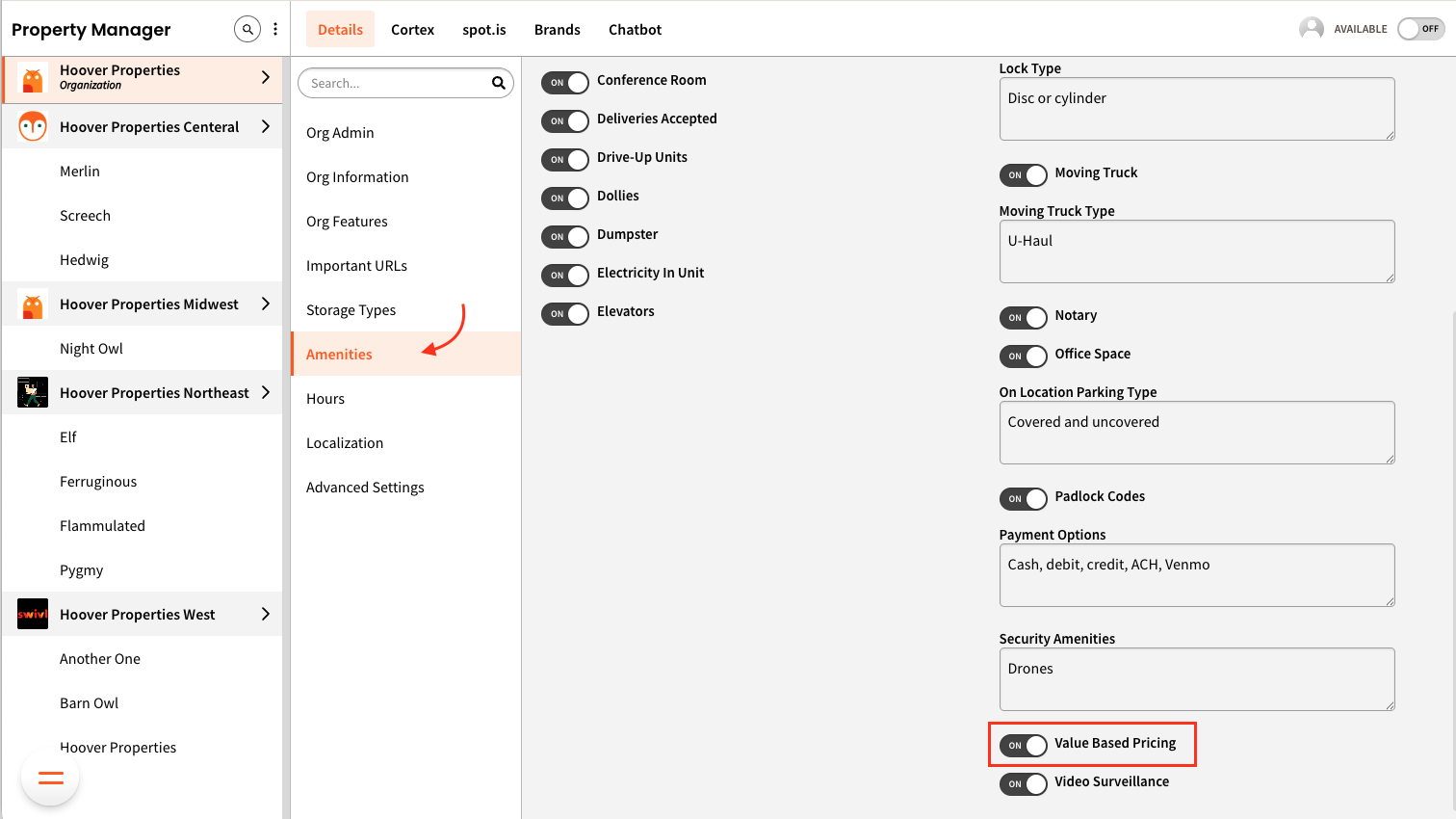
- Go to Details > Amenities and enable Value Based Pricing.
- Customize your tiers:
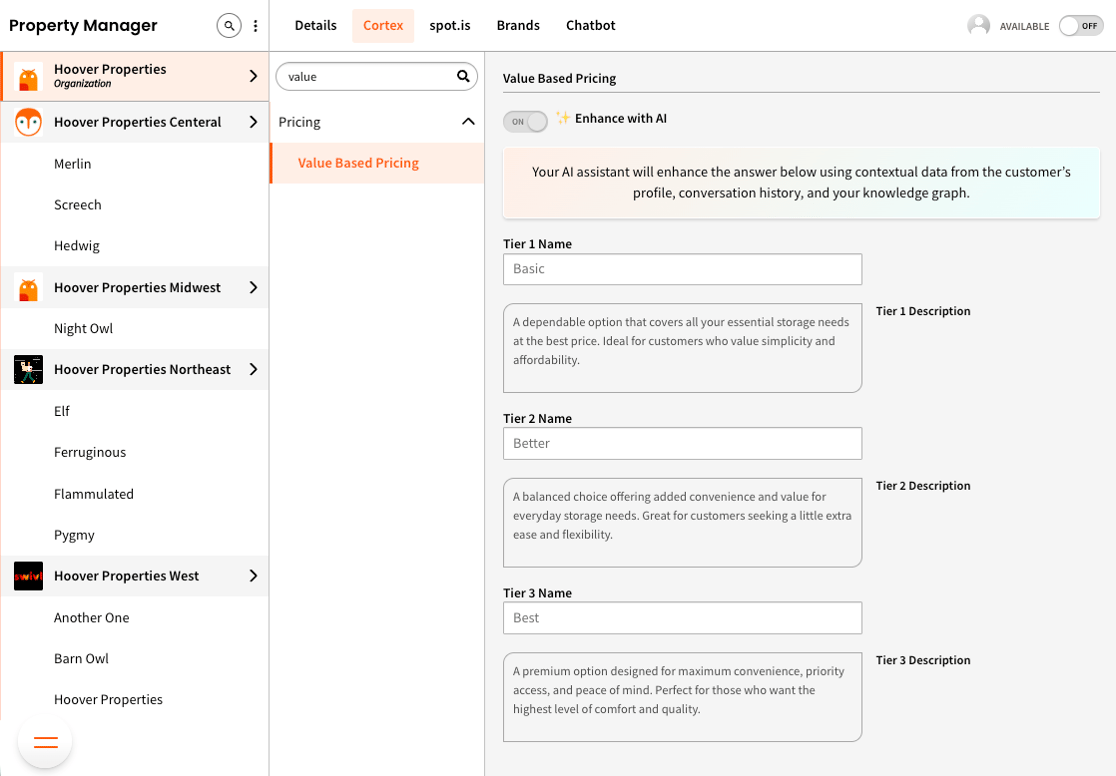
- Head to Cortex > Value Based Pricing. Here, you can:
- Rename each tier (e.g., “Basic,” “Standard,” “Premium”)
- Edit the description of each option to explain what it includes and who it’s for
- Optionally, turn on Enhance with AI to let swivl tailor answers using tenant context
- Head to Cortex > Value Based Pricing. Here, you can: