![Full Color.png]](https://learn.tryswivl.com/hs-fs/hubfs/Full%20Color.png?height=50&name=Full%20Color.png)
Obtain API Credentials from SSM
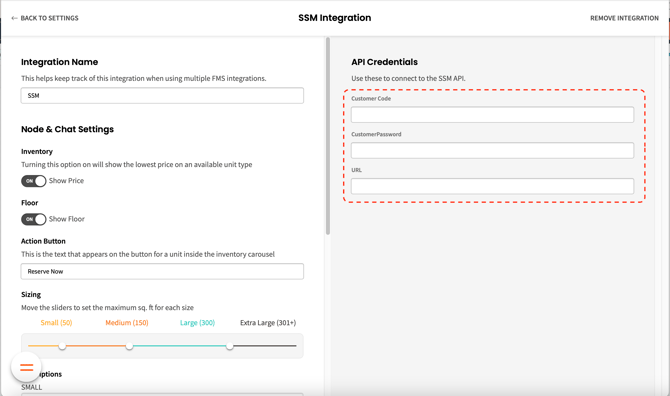
Reach out to your SSM account representative to request API credentials, granting swivl access to the relevant endpoints for seamless integration. These credentials function as secure authentication keys, enabling swivl to safely exchange customer data with your Facility Management System (FMS). Once you receive your credentials, please forward them to our team so we can connect your FMS to swivl.
Required Credentials:
- User ID
- Password
- API URL
Integration Endpoints
Below are the API endpoints swivl requires access to:
- POST – /api/OnlineReservation/CreateLead
- GET – /api/OnlineRental/GetAllActiveTenantAccounts
- POST – /api/OnlineRental/GetAllActiveTenantInfo
- GET – /api/OnlineReservation/GetLocationList
- GET – /api/BI/GetRentalsList
- POST – /api/OnlineReservation/GetUnitTypes
- GET – /api/OnlineRental/GetTenantByPhone
- GET – /api/OnlineRental/GetTenantInfo
- GET – /api/BI/GetVacatesList
- GET – /api/OnlineRental/GetTenantUnitLeaseDetails
- GET – /api/OnlineRental/GetAllUnits
- GET – /api/OnlineRental/GetUnitsList
- GET – /api/BI/GetInquiriesList
- GET – /api/OnlineRental/ProcessPayment
- {baseURL}/api/BI/GetCustomerInfoUpdateList
Add SSM to swivlStudio
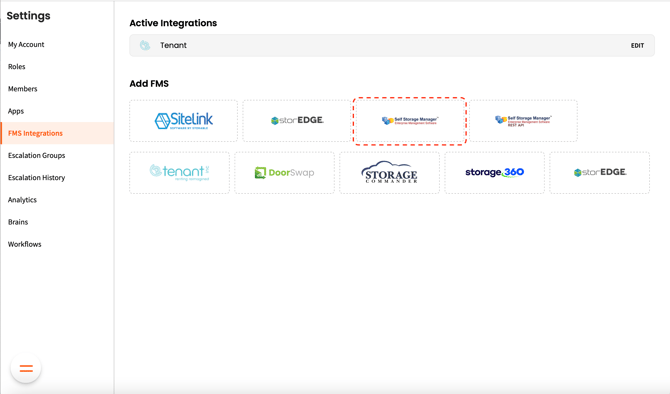
- To get started, navigate to Settings > FMS Integrations.
- Hover over SiteLink and click +ADD SSM
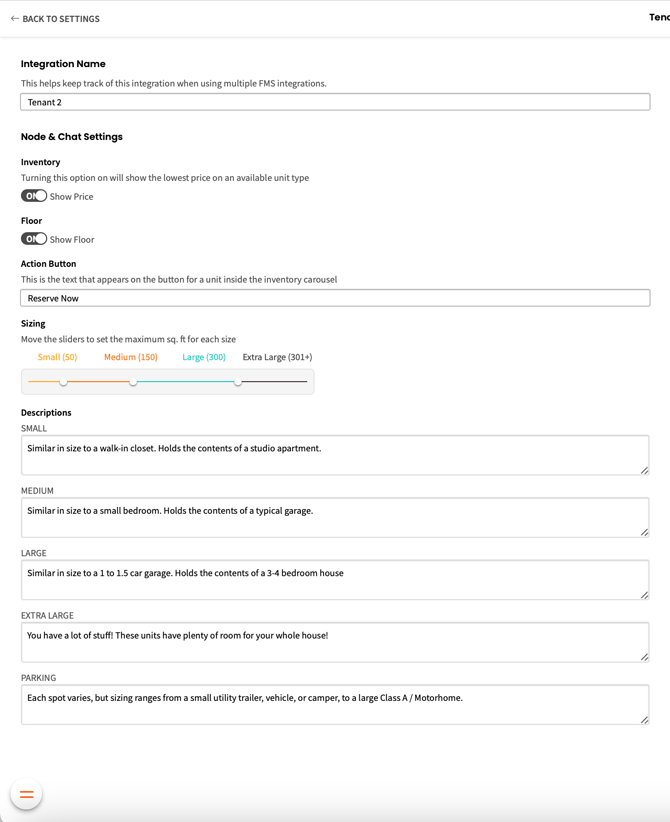
- A new row will be added beneath Active Integrations. Select EDIT on the far right