![Full Color.png]](https://learn.tryswivl.com/hs-fs/hubfs/Full%20Color.png?height=50&name=Full%20Color.png)
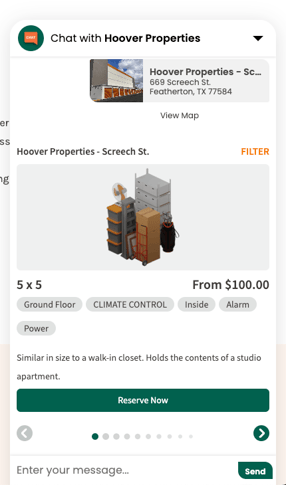
You can easily manage and customize the text descriptions that appear for storage unit sizes in the inventory carousel during chat sessions. These descriptions help customers better understand what each unit size can typically hold.
Edit Descriptions
-
Go to the Settings tab.
-
Navigate to the FMS Integrations tab.
-
Select the specific FMS you want to update.
Note: You’ll need to repeat this process for each FMS if you want the change to reflect across all.
Customizing the Descriptions
Within each FMS integration, scroll to the Sizing section. Here, you'll find editable fields for:
-
Small
-
Medium
-
Large
-
Extra Large
-
Parking
Each description is fully customizable - you can describe the size, typical contents, or any other helpful detail that aligns with your property’s layout or customer needs.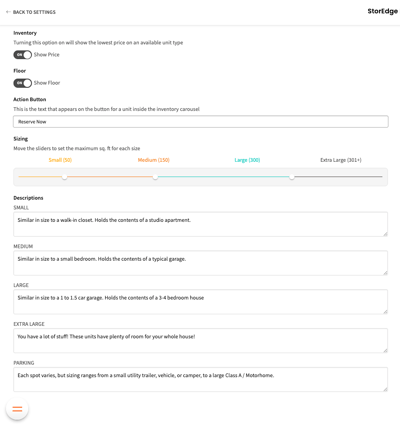
💬 Why This Matters
These descriptions appear in the inventory carousel during chat sessions, directly under each unit option. Making them clear and customer-friendly helps tenants make faster, more confident decisions.