![Full Color.png]](https://learn.tryswivl.com/hs-fs/hubfs/Full%20Color.png?height=50&name=Full%20Color.png)
With the Account Balance Integration, you can seamlessly share account balances with your customers through SMS, email, or both. Here’s how to set it up:
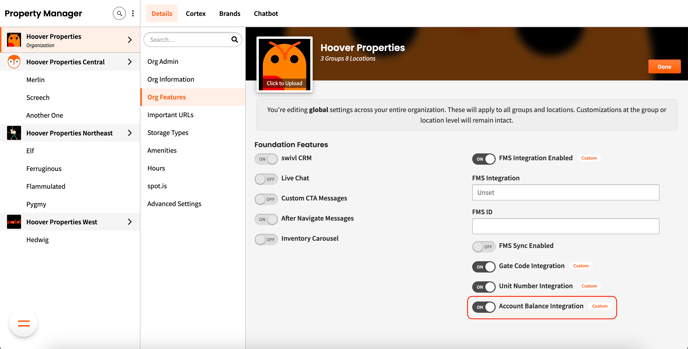
Navigate to the “Org Features” section of the Property Manager Details tab and toggle Account Balance Integration ON.
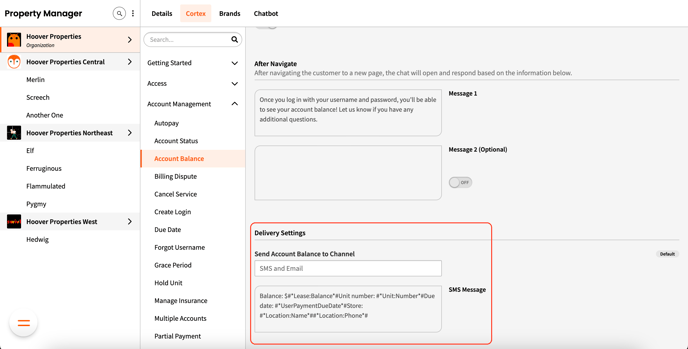
Go to the “Account Balance” section of the Cortex tab, select the channel(s) you’d like to use for notifications and customize the SMS message.
Ensure that your Twilio phone number is set up correctly. Test it by texting your Twilio number and confirming you receive a reply.
💡 Note: Want to send emails from your own domain? Check out our guide on Connecting Your Domain to Send Emails for step-by-step instructions.